
The Order Lookup Tool isn't working. Why?
If you placed your order while logged onto your account - you will need to log in and go to Profile - History, to see your receipt page.
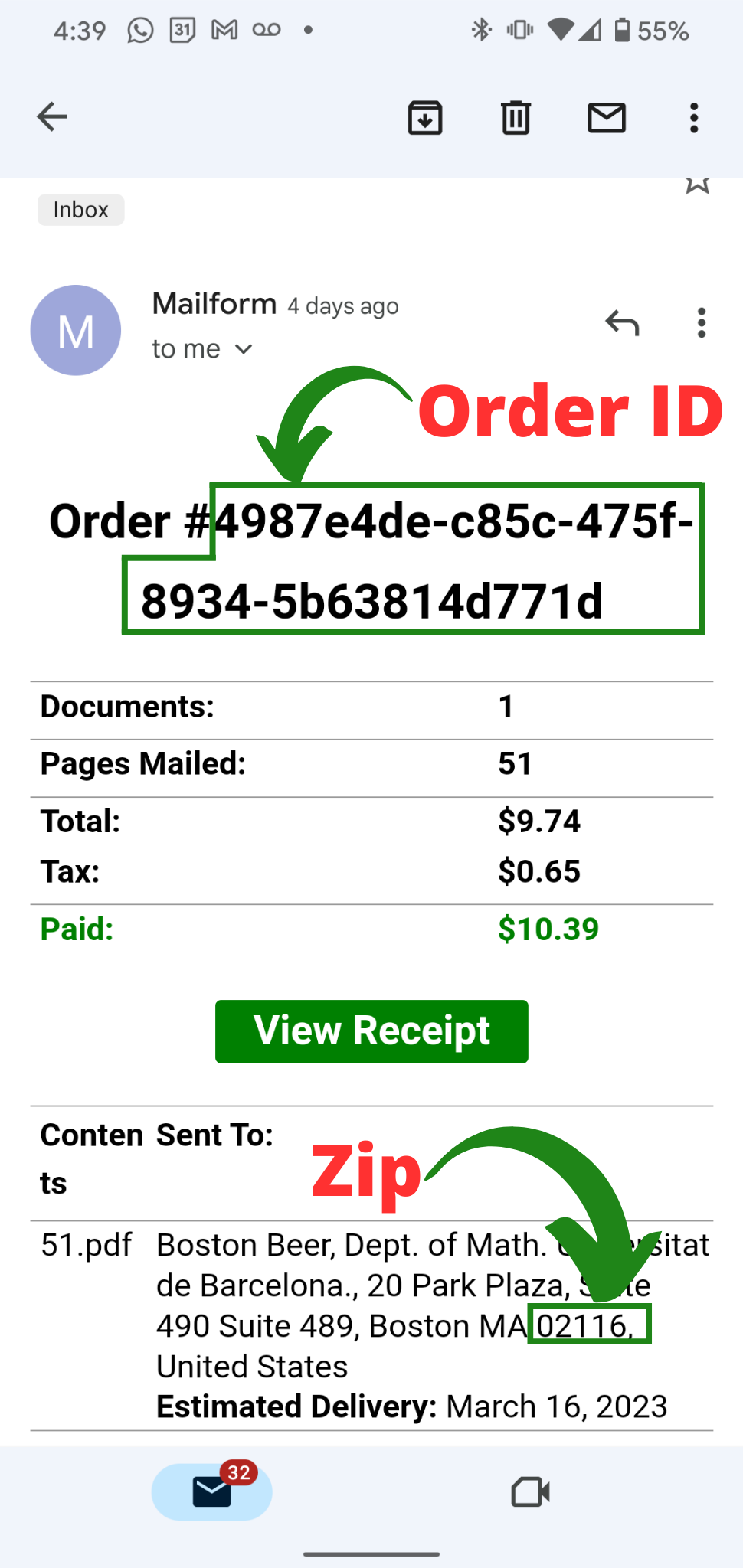
Our order lookup tool provides access to your order, however you must have both :
the order id
the recipient zip code (this must be the full zip entered when you placed the order. This means either the 9 digit in xxxx-xxxx format or the 5 digit in line with your order receipt.)
We require both of these pieces of information in order to prevent a third party from accessing the details of your mail piece. An example of a receipt is below, with the necessary information outlined:
Alternatively, if you are logged into your Mailform account, then you'll only need the Order Id.
If you have made an order using our Bulk Mail tool, simply log-in using your account password and select Profile --> History in the top right of the page.