
How do I change my name
As a Mailform customer, your name is used in a number of places:
As the default return address name when placing orders.
On invoices and credit card billing addresses.
For email notifications.
To change the default name:
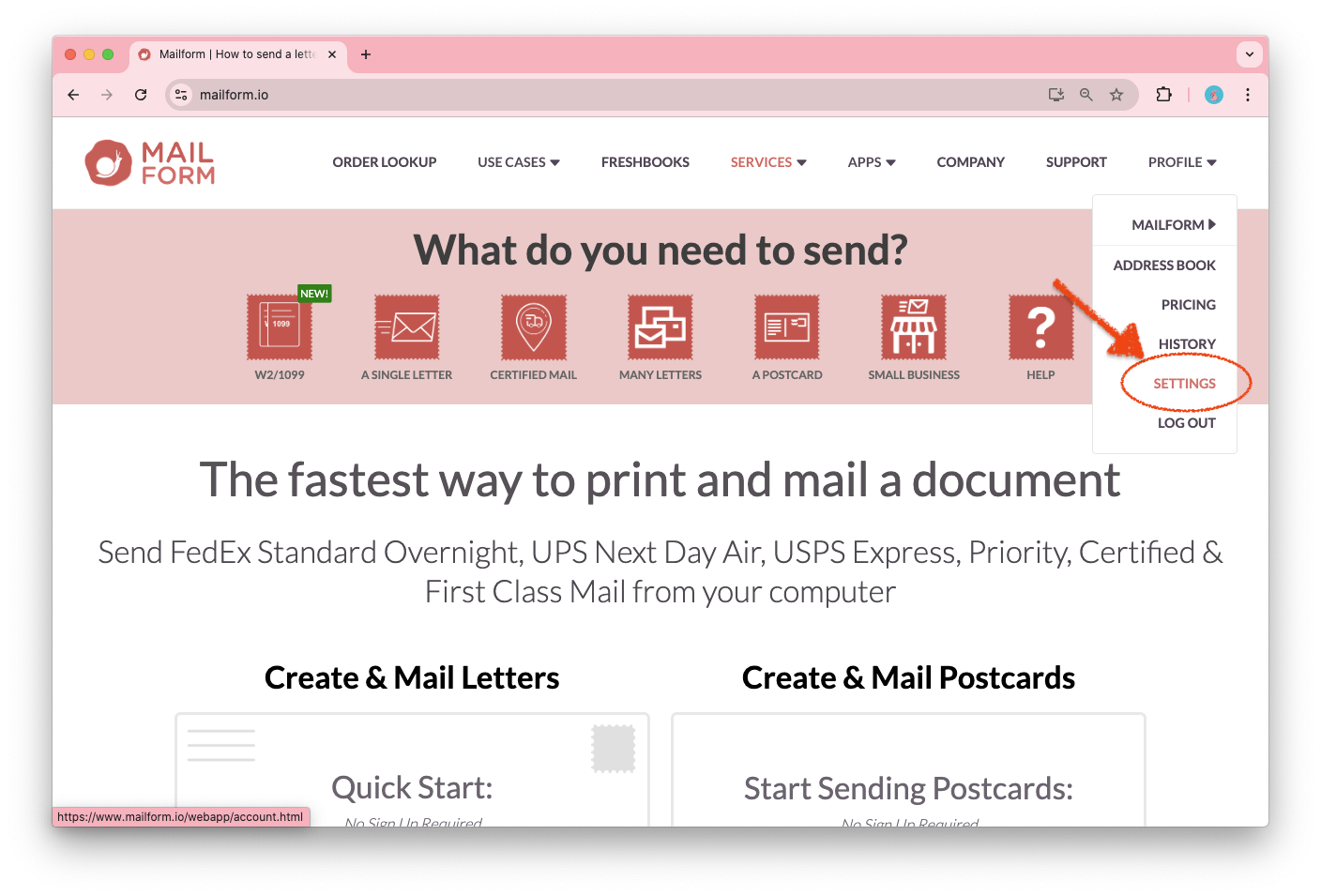
Log into your Mailform account, and open the Profile menu, then click on Settings.
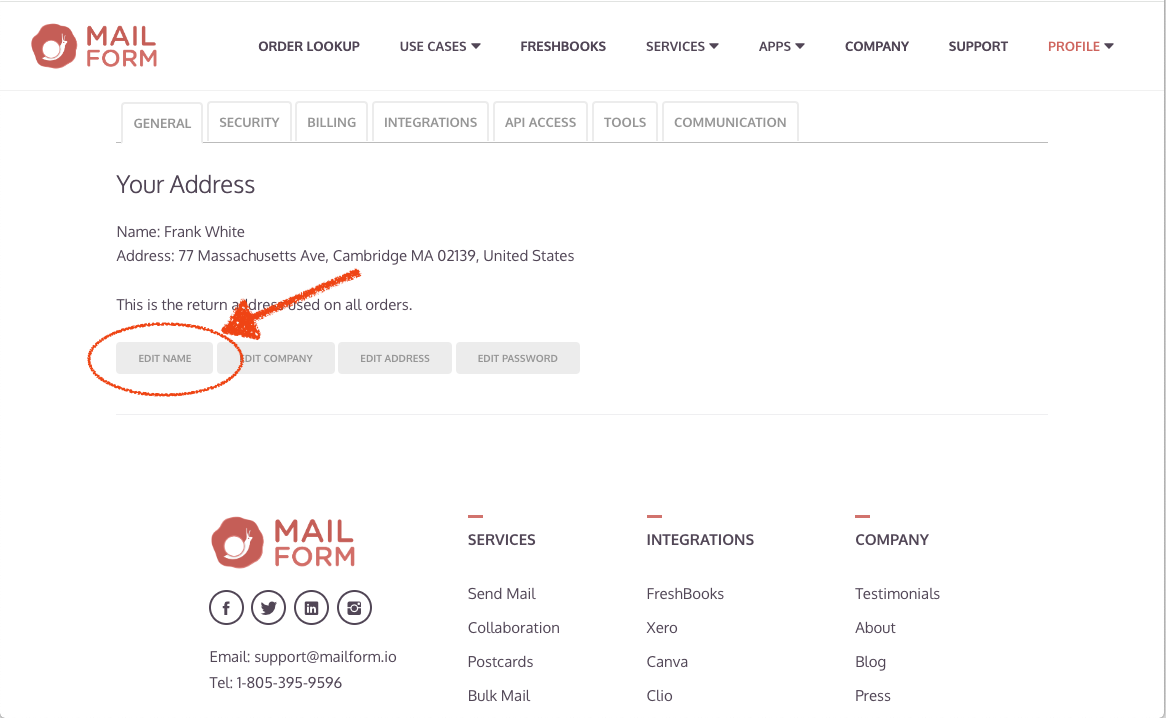
On the General tab, you will see the current name. Click Edit Name to update it.
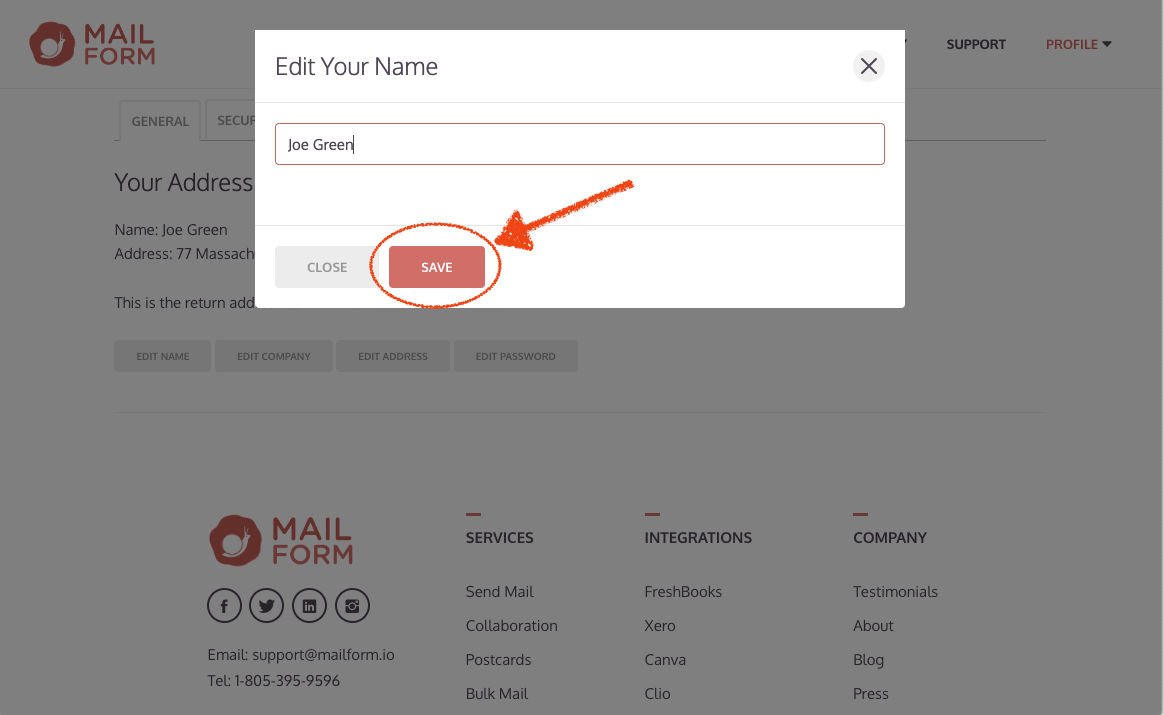
Enter the new name, then click Save to apply the changes.
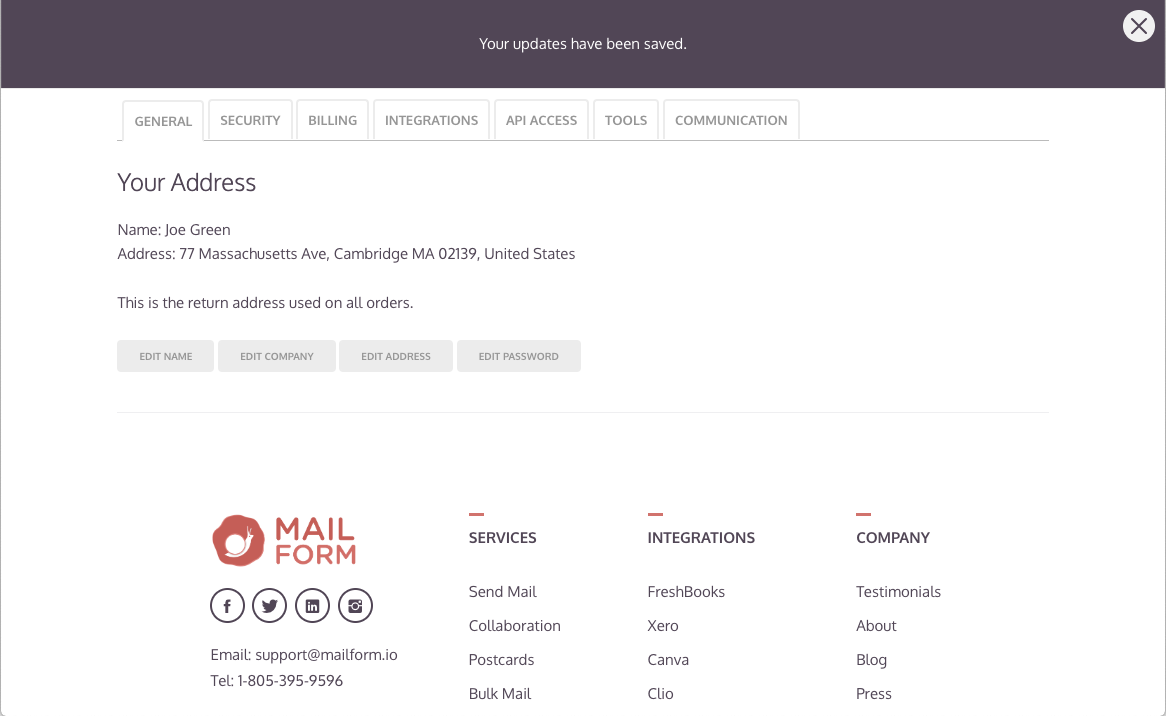
The name will update immediately, and you'll see a notification at the top of the screen.
Note: name changes are not retroactive for your mailings: all existing mailings will continue to show the return address name entered when the order was placed. Future orders and invoices will use the new name.
Thanks for using Mailform!